
Understanding QX Trading: A Complete Guide
Explore QX Trading essentials 📊, from market strategies to platform tech & regulations. Perfect guide for traders in India aiming to expand skills 🚀.
Edited By
Amelia Reed
A multi-screen trading station can make a world of difference for active traders and market analysts. Instead of switching between tabs or squeezing information onto a single screen, multiple displays offer a clear, organised view of market movements, charts, news feeds, and trading platforms all at once.
In the Indian context, where markets like NSE and BSE move fast, having simultaneous access to varied data points helps you seize opportunities without delay. For example, while one screen can show real-time Nifty or Sensex charts, another can keep track of sector-wise stock movers, and a third can display live news or expert commentary. This setup helps traders stay ahead, especially during volatile periods.
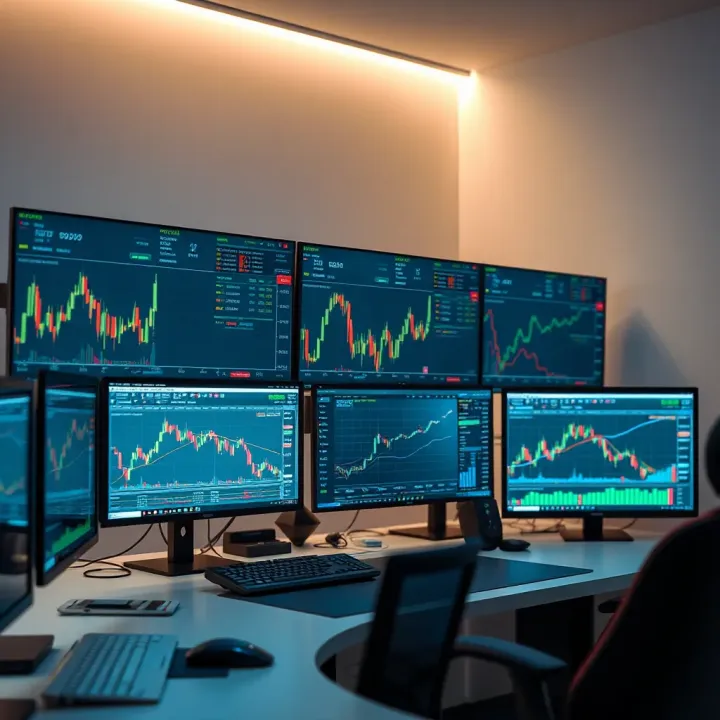
To build an efficient multi-screen station, careful choices around both hardware and software are needed. It’s not just about hooking up multiple monitors but making sure they work seamlessly with your trading tools. Given the physical space constraints in many Indian homes and offices, organising the workspace takes equal priority to technical setup.
Remember, a well-planned multi-screen arrangement isn’t a luxury but a necessity for serious traders wanting crisp visibility and quicker decisions.
This guide will cover actionable points on selecting the right displays, compatible graphic cards, and ergonomic layouts. It will also suggest software solutions that support multi-screen trading across platforms such as Zerodha Kite, Angel Broking, or Upstox. By focussing on practical solutions tailored for Indian traders, you’ll learn how to manage your trading environment better and reduce clutter.
Whether you're working from a tier-1 metro flat or a tier-2 city office, setting up your trading station thoughtfully can simplify analysis, speed up trade execution, and help minimise costly errors. Having the right tools always ready in front of you without fumbling between multiple windows is a game-changer on busy trading days.
Next, we will look into the core hardware components, starting with the choice of monitors and graphic cards best suited for multi-screen setups in trading scenarios.
Setting up multiple screens for trading isn't just about having a flashy workstation; it genuinely boosts your trading effectiveness. Multiple screens allow you to monitor various markets, charts, news feeds, and order books all at once. This leads to better market awareness and more informed decisions.
With several screens, you can keep a close eye on different stocks and indices simultaneously. For example, you might use one monitor for the Nifty 50 index chart, another for live news updates from Bloomberg Quint or Moneycontrol, and a third to track specific stocks like Reliance Industries or HDFC Bank in real time. This setup helps traders spot trends early and analyse market movements without toggling back and forth between tabs.
In trading, every second matters. Having key information spread across multiple screens lets you react faster. For instance, you could have your trading platform (like Zerodha Kite or Upstox Pro) open on one screen while execution windows and market depth are displayed on others. This means when you decide to buy or sell, you don't waste time juggling windows, enabling timely order placement that can save or make you thousands.
Switching apps or browser tabs constantly can cause distraction and potential errors. Multiple screens reduce this hassle by dedicating each screen to a specific function. One screen could solely display technical charts, another for instant messaging with brokers or analysts, and a third for tracking global markets. This not only streamlines your workflow but also lowers the chance of missing crucial updates.
A well-organised multi-screen setup allows traders to work more efficiently, cut down on errors, and improve overall market responsiveness.
To summarise, multiple screens make market monitoring smoother, speed up your decision-making, and keep your workspace organised. For Indian traders facing volatile markets and fast-moving stock prices, these benefits prove invaluable in gaining an edge.
Picking the right hardware is central to creating a smooth multi-screen trading environment. This choice affects your ability to monitor markets efficiently, manage multiple applications, and execute trades quickly. A hardware setup that balances performance with cost can give you a clear edge, especially in fast-moving markets.
Screen size and resolution play a big role in how effectively you consume market data. Larger screens, usually 24 to 27 inches, give you more room to place charts, order books, and news feeds side by side. A resolution of at least 1920x1080 pixels (Full HD) is a must, but if your budget allows, moving up to 2560x1440 pixels (QHD) or even 4K offers sharper text and more workspace. For instance, traders often spot patterns faster when multiple chart windows fit without overlapping.
Refresh rate and colour accuracy also matter. A refresh rate of 60 Hz is common and sufficient for most trading needs, but if you track live price action extensively, higher rates (75 Hz or above) provide smoother updates. Colour accuracy ensures charts look clear, and red-green distinctions are sharp, which is vital during quick decision-making. Monitors like the Dell UltraSharp series strike a good balance here, providing clear visuals without hitting your wallet too hard.
Types of monitors: IPS, LED, and more affect viewing angles and display quality. IPS (In-Plane Switching) panels offer consistent colours and wider viewing angles, meaning you can glance at your screens from different positions without colour shifts. LED-backlit monitors are energy-efficient and usually come in both IPS and TN panel varieties. TN panels tend to be cheaper but offer narrower viewing angles and less vibrant colours. For trading, IPS LED monitors are generally the best pick, as traders often need several screens arranged at various angles.
When setting up multiple monitors, the number of ports and compatibility on your graphics card is a key factor. Some cards support two or three screens easily, while others offer up to six. Check if your card has a mix of HDMI, DisplayPort, or DVI ports that match your monitor inputs. For example, NVIDIA’s GeForce RTX series and AMD’s Radeon RX series offer multiple outputs suitable for multi-screen setups. Compatibility with your PC’s motherboard and power supply also matters.
Performance considerations for multiple displays go beyond the number of screens. Driving several high-resolution monitors requires decent video memory and processing power. If you use complex trading software with real-time analytics and multiple chart windows, lag can become a problem on lower-end cards. Paying extra for a mid-range card with 4GB or more VRAM ensures smooth operation. In Indian markets, cards like NVIDIA GTX 1660 Super provide a good balance of cost and capability.
The right cables keep your setup reliable. HDMI, DisplayPort, and VGA cables connect your monitors to the graphics card, but they differ in quality and features. HDMI and DisplayPort support higher resolutions and refresh rates compared to VGA, which is mostly outdated. DisplayPort is preferred for multi-screen setups because it can daisy-chain monitors, reducing cable clutter. Ensure your cables are compatible with both your monitors and graphics card to avoid display issues.
For comfort, monitor stands and mounts improve ergonomics significantly. Adjustable stands let you set screen height and tilt to reduce neck strain during long hours. Multi-monitor mounts save desk space by stacking or aligning screens side by side neatly. Indian traders often find flexible mounts from brands like Ergotron or AmazonBasics useful for custom arrangements. Investing in ergonomic setups helps maintain focus and reduces fatigue, supporting better trading decisions.
Investing carefully in hardware elements tailored for multi-screen trading can improve efficiency and reduce physical strain, making your workspace a real asset rather than a hindrance.
Choosing the right software and trading platforms is just as important as selecting the hardware for a multi-screen setup. With multiple monitors, you need platforms that can not only handle multiple windows efficiently but also allow customisation to keep market data, charts, and trading terminals organised. The goal is to reduce hassle and increase productivity, helping you respond quickly to market changes.
Some trading platforms popular in India are well-suited for multi-screen setups. Zerodha Kite, for example, allows users to open several charts and market watchlists simultaneously, letting you track different stocks or sectors at once without clutter. Upstox Pro offers a clean interface that supports multiple windows and lets traders flexibly arrange watchlists, charts, and order books across screens.
These platforms offer real-time charts, level 2 market data, and order entry windows which can be positioned separately, making full use of the screen real estate. For traders managing portfolios or multiple trading accounts, such flexibility lets you keep an eye on various market aspects all at one glance, speeding up your analysis and execution.
Multiple screens help segregate tasks effectively. You can dedicate one screen to live price feeds, another to detailed charts with different technical indicators, and a third for news or order management. This separation prevents constant switching that causes delays during volatile market hours.
Additionally, scripting tools or strategy backtesting modules can run on a separate monitor while your main trading screen remains free for active trading. Notifications, alerts, and chat with brokers also find space without interrupting the core trading view. Essentially, more screens mean a smoother workflow where everything critical stays visible simultaneously.
Windows itself provides handy features like Snap Assist, which helps arrange windows side by side, and virtual desktops for grouping related tasks. These built-in tools reduce the manual juggling of windows across screens.
For those needing extra control, third-party apps like DisplayFusion or AquaSnap offer advanced window snapping, multi-monitor taskbars, and customised hotkeys. They enhance your trading environment by intelligently managing window placement and size, improving focus and reducing errors.
Start by grouping similar applications together on one screen to avoid distraction. For example, keep all charting software on one monitor and order entry on another. Use consistent window sizes and positions daily—it saves time hunting for a misplaced tab.
Keep the trade execution window always on the screen closest to your mouse or keyboard to minimise delay in order placement. Also, periodically clean up unused windows and alerts to maintain a clear view, especially during highly volatile sessions. And remember, regular software updates ensure compatibility with multi-screen features and security enhancements.
In multi-screen trading, the right software choices and window management tools are vital complements to hardware, shaping an efficient, responsive trading workflow.
Creating an efficient trading workspace is vital for traders who rely on quick decisions and constant market monitoring. A well-thought-out setup can reduce fatigue, improve focus, and enhance overall trading performance. This section highlights practical ways to optimise your desk, balancing technology with comfort.
Proper ergonomics ensures you trade comfortably throughout long hours. Position your main monitor directly in front of you, roughly an arm’s length away—about 50–70 centimetres—and keep its centre at eye level. The side monitors should angle inwards, around 15 to 30 degrees, to keep everything in your natural line of sight without excessive neck movement.
This setup reduces strain on your neck and shoulders, preventing aches during extended sessions. For example, if you use three 24-inch monitors, placing the two side screens slightly curved around your central display helps maintain a clean view of charts, order books, and news without turning your head too much.
Minimising eye strain also improves longevity at your desk. Use anti-glare screens or position monitors to avoid direct reflections from windows or lights. Maintain comfortable ambient lighting—bright enough to read but soft enough not to cause glare directly on the screens. Installing software that adjusts screen brightness based on the time of day can help reduce fatigue.
Remember to take regular breaks following the 20-20-20 rule: every 20 minutes, look at an object 20 feet away for 20 seconds. Such simple habits complement an ergonomic setup and keep your eyes fresh, boosting concentration during market hours.
Keeping your workspace tidy is more than just aesthetics; it improves efficiency and reduces distractions. A clutter-free desk means you can access tools, notes, or devices quickly without fumbling through a mess. Start by limiting non-essential items on your trading desk.
Group cables together by function—power cables separate from data cables—and use labelled tags if you have multiple monitors and peripherals. This makes troubleshooting easier in case you need to unplug or swap devices hurriedly.
Using cable organisers like clips, sleeves, or Velcro straps can keep wires tight and orderly. Routing cables behind the desk or along its edges prevents tangling and accidental disconnections. For example, attaching a cable tray under the table keeps all wires lifted off the floor, reducing tripping hazards and dust buildup.
A disciplined approach to ergonomics and desk organisation can transform your trading setup from chaotic to streamlined, helping you focus fully on the markets without needless hassle or discomfort.
Proper planning of both screen placement and cable management is essential to building a professional-grade trading station. Applying these tips will enhance comfort, minimise downtime, and improve workflow during critical market hours.
Setting up a multi-screen trading system in India comes with unique challenges and opportunities. From balancing cost-effectiveness to ensuring stable data streams, these practical tips target the most pressing concerns traders face here. Proper planning can save you costly upgrades later while maintaining seamless performance.
Indian traders often juggle cost constraints without wanting to sacrifice performance. Affordable monitors like those from LG or Samsung, available in India for ₹8,000 to ₹12,000, offer good Full HD resolution and decent refresh rates suitable for trading platforms. For those on a tighter budget, brands such as Acer and Dell provide reliable displays under ₹10,000 with solid colour accuracy and multiple connectivity options.
When it comes to graphics cards, you don’t have to go for high-end models to support two or three screens. Cards like the NVIDIA GTX 1650 or AMD Radeon RX 550, priced around ₹15,000 to ₹18,000, can handle multiple displays efficiently without straining your budget. These dual- or triple-output cards ensure smooth rendering of charts and live data feeds without lag.
Uninterrupted internet connectivity is vital for any trading operation. Many Indian traders rely on broadband providers like JioFiber or Airtel Xstream for stable speeds. However, using multiple ISP connections or backup mobile hotspots can offer extra safety during outages, helping prevent missed opportunities.
Power fluctuations and outages can disrupt trading and cause data loss. Investing in an uninterruptible power supply (UPS) provides a buffer of typically 15 to 30 minutes, sufficient to save work or close positions calmly. Brands like APC and Microtek are well-regarded in India and offer models starting from ₹4,000. A UPS also protects your equipment from voltage spikes common during monsoon season.
Real-time market data is the lifeline for any trader. Fetching reliable streaming data directly from exchanges like NSE and BSE ensures your analysis and orders use up-to-date information. Both NSE and BSE provide APIs and platforms compatible with many popular trading software.
In some cases, subscription-based data services can offer lower latency or additional market depth, especially when trading derivatives or segmenting data by sector. Indian services like Zerodha’s Kite Connect or Upstox Pro offer options to integrate such feeds, often bundled with brokerage accounts or available as add-ons. Considering whether you need these subscriptions depends on your trading style and volume.
Maintaining a balance between cost, reliability, and performance is the key for Indian traders setting up multi-screen systems. Thoughtful choices on these practical fronts ensure your trading desk runs smoothly, even in local market conditions.
Explore QX Trading essentials 📊, from market strategies to platform tech & regulations. Perfect guide for traders in India aiming to expand skills 🚀.

Explore Qutex trading 🚀, a decentralized crypto exchange prioritizing security 🔐, speed ⚡, and smart mechanics. Learn its benefits, risks, and role in crypto markets 🔄.
📘 Explore the Quotex trading course: its structure, key features, and practical tips. Ideal for Indian traders wanting to sharpen skills and boost trading success.
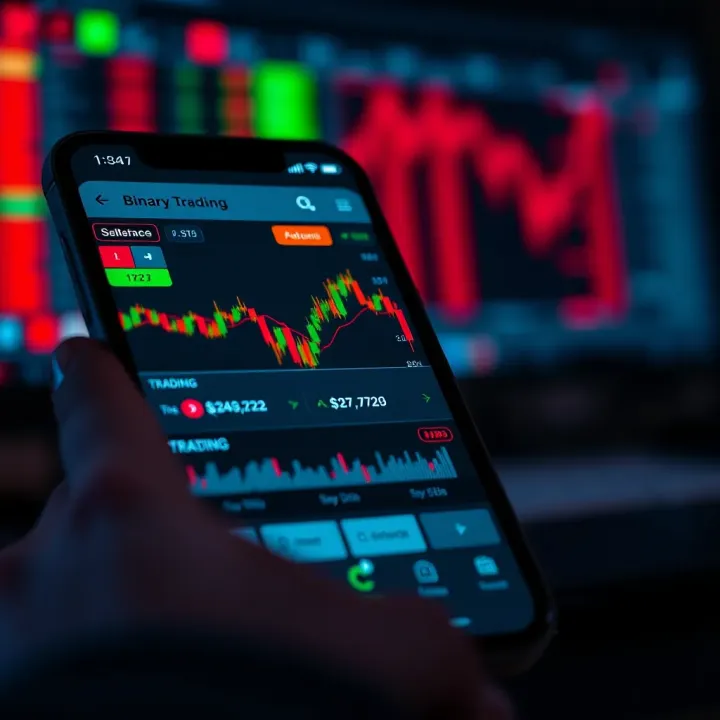
Explore how binary trading apps work in India, their features, risks, and the legal scene 🇮🇳. Get tips for beginners and avoid common mistakes wisely! 📱📊
Based on 5 reviews