
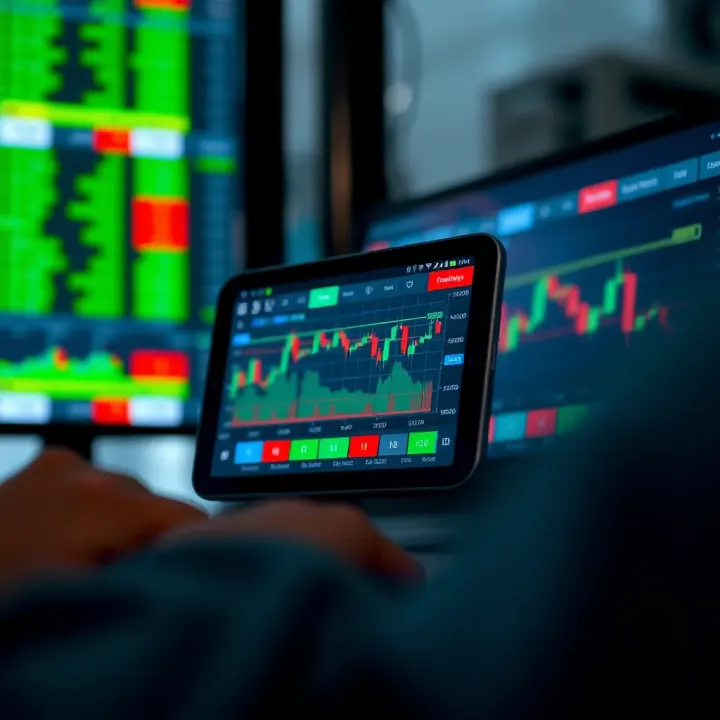
Choosing the Best Online Trading App in India
Discover how to pick the best online trading app in India 📱 Learn key features, security tips, fees, user experience & top choices for smooth, safe investing.
Edited By
Isabella Turner
Trading apps have brought the stock market closer to millions across India, making it possible to invest or trade with just a few taps on your mobile. These apps remove many traditional barriers like complex paperwork and minimum capital, creating an easy entry point even for newcomers. But not all trading apps are designed the same way — some feel like they were built with professionals in mind, while others focus heavily on simplicity and user comfort.
When choosing a trading app, ease of use is a big factor. A cluttered interface or confusing workflow can quickly scare off even experienced traders. Think about apps like Zerodha’s Kite, Upstox, or Groww which are popular for their straightforward navigation and quick execution of orders. These platforms balance simplicity with features such as real-time market data, educational resources, and instant fund transfers.

Selecting the right trading app means weighing useful features against your trading style and comfort with technology.
The right app should offer secure login options, clear charts, and easy access to order history and statements. You shouldn’t have to jump through hoops just to place a trade or check your portfolio. Also, apps with responsive customer support make your trading journey smoother, especially when technical issues arise.
Here’s what to look for when picking an easy trading app:
User Interface (UI): Clear, readable fonts and visuals without overwhelming displays.
Quick order placement: The ability to buy or sell securities smoothly without delays.
Educational tools: Market news updates, tutorials, or expert tips accessible within the app help you make smarter decisions.
Payment integrations: Support for UPI, net banking, and instant wallet transfers ease fund movements.
Security protocols: Two-factor authentication and data encryption should be standard.
Getting started only takes a few minutes with apps that sync with your PAN card and Aadhaar for quick verification. This simplicity lets you focus your energy on market analysis rather than bureaucratic hassles.
An easy trading app doesn’t just simplify transactions but empowers you to stay confident amidst market fluctuations. In the sections ahead, we will discuss key features, recommended apps, and practical tips to maximise your trading efficiency in India’s dynamic stock market environment.
Choosing a trading app that is easy to use is vital for smooth and efficient investing. A straightforward app saves time, reduces errors, and gives you confidence while making decisions. Particularly in the Indian market, where many new traders come in during festivals or market rallies, simplicity can make all the difference.
A trading app should have a layout that guides you naturally. Clear menus, prominent tabs, and readable fonts mean you won’t waste time hunting for the option to buy or sell. For instance, Zerodha’s Kite app organises essential features like market watch and order book in an accessible manner, helping users jump straight into action without confusion.
Making trades should not be a chore. Apps that require too many clicks or screens before placing an order risk frustrating users and losing trading opportunities. An app like Upstox simplifies this by allowing you to place orders in a couple of taps after selecting the stock and quantity, removing unnecessary steps.
Everyone has their preferences. Some want to monitor a handful of stocks; others want sector-wise views or news alongside their portfolio. Apps offering customisable dashboards, like Angel Broking, let you arrange widgets or watchlists according to what you track most. This personalisation improves focus and speeds up decision-making.
In trading, seconds can cost you money. An app that quickly processes your orders ensures you buy or sell at your intended price. Apps lagging in execution can cause missed chances or unwanted trades. So, look for apps with servers optimised for India’s NSE and BSE markets keeping latency low.
Markets move fast, and data delays can mislead your strategies. Apps that stream live market prices, volumes, and news provide the latest info so you can adjust on time. For example, Sharekhan’s mobile platform pushes real-time alerts and market summaries to keep traders informed instantly.
Technical glitches can disrupt your trading flow and cause stress. A reliable app should run smoothly without frequent crashes, especially during peak trading hours (9:15 am–3:30 pm IST). Good apps undergo regular testing and update cycles to maintain stability, ensuring you stay connected at critical moments.
When you face issues or have doubts, quick help matters. Apps that offer phone, chat, and email support cover different user preferences. For example, 5paisa supports chatbots and real agents, so users get timely responses without waiting too long.
Customer care aligned with Indian market hours is essential. Support available until at least 7 pm IST fits the needs of traders working regular jobs and keeping an eye on after-hours news or late trades.
Even expert traders refer to guides at times. Apps providing video tutorials, FAQs, and blogs help users understand features and market basics. Moneycontrol’s app, for example, hosts a section on market insights alongside trading capabilities, adding educational value.
In essence, an easy trading app is more than just a platform; it should be your reliable partner, offering clarity, speed, and support so you can trade confidently in India’s dynamic markets.
An easy trading app should offer features that make investing and trading straightforward while catering to diverse market needs. The right features not only save time but also help you make smarter decisions with less hassle. In India, where market options and regulations can be complex, these features become even more essential.
Equities, Derivatives, Mutual Funds: A good trading app must cover a wide range of investment products. Equities let you buy shares of companies, while derivatives enable you to trade contracts based on the future price of stocks or indices. Mutual funds provide a way to invest pooled money in diversified portfolios. For example, Zerodha and Upstox offer easy access to all three, letting traders switch between asset classes without hopping apps.
Access to NSE and BSE: The National Stock Exchange (NSE) and Bombay Stock Exchange (BSE) are India's primary stock markets. Apps connected to both allow you to access all listed stocks, enhancing your investment universe. Since many stocks trade on both exchanges, having access to both helps you find the best price and liquidity. Apps like Angel Broking and 5Paisa provide seamless NSE and BSE trading.
Support for Commodities and Currency Trading: Beyond stocks, some traders want to tap commodities like gold, silver, or crude oil and currency pairs such as USD/INR. An easy app offering these keeps your portfolio diversified. Motilal Oswal and ICICI Direct provide commodity and currency segments alongside equities, so you can manage all trading from one place.
Instant Fund Transfers: Fast money movement matters when markets shift quickly. Integration with UPI (Unified Payments Interface) enables real-time fund transfers between your bank and trading accounts. This means you can deposit money instantly to seize market opportunities. Apps such as Groww and Kotak Securities have smooth UPI payments enabling quick top-ups.
Easy Withdrawal and Deposits: Besides quick deposits, hassle-free withdrawals are important when you want your gains or unused funds back. Some apps process withdrawal requests on the same day, while others take longer. Look for apps that clearly state their payout timelines and keep transfer steps simple.
Security with Payment Gateways: Since financial transactions are involved, apps must have strong security protocols. This includes encrypted payment gateways and secure authentication methods. RBI guidelines require two-factor authentication, and compliance ensures your fund transfers remain safe from fraud.
Price Alerts and Market News: Staying updated with market moves and news helps you react faster. Easy trading apps send price alerts and deliver real-time news tailored to your portfolio or watchlist. For instance, Zerodha’s Kite app pushes push notifications when stock prices hit your chosen levels.

Technical Analysis Tools: If you trade frequently, tools like charts, indicators (moving averages, RSI), and pattern recognition help plan entries and exits. Many apps now bundle these tools without complicated set-ups, so even beginners can try basic technical analysis.
Investment Recommendations: Some apps provide automated investment suggestions based on your profile and market trends. These are handy for users who want guided advice along with DIY trading. However, it’s best to cross-check recommendations with your own research before acting.
Choosing an app with these features ensures you are not limited in what, how, or when you trade. These practical benefits together make trading easier and more effective in India’s vibrant markets.
Selecting the right trading app depends primarily on your personal trading style, experience level, and financial goals. No single app suits every investor or trader, so assessing your requirements before decision-making is crucial. The right app will not just offer features but match them closely with how you intend to participate in the market.
A beginner should look for apps with simple interfaces and step-by-step guidance. Many apps now offer demo accounts or simulated trading, which help novices get familiar without risking real money. Apps like Zerodha Kite and Groww stand out for their clean design and educational resources, making them perfect for freshers.
On the other hand, experienced traders may want apps offering advanced charting, multiple order types, and fast execution. For example, Upstox and Angel Broking provide technical indicators and margin trading options suited for intraday or swing trading. Choosing an app that matches your skill set reduces confusion and improves your trading outcome.
Your investment horizon shapes app preferences. Long-term investors usually need portfolio tracking and mutual fund integration rather than complex intraday tools. They might benefit from apps focused on SIPs (systematic investment plans) or goal-based investing, such as Groww or Paytm Money.
Conversely, active traders require real-time data feeds, quick order placement, and granular analytics. Fast responsiveness and low latency in such apps can prevent missed opportunities. Understanding whether you want to hold stocks for years or trade within minutes will guide your choice effectively.
Trading cost impacts your returns, especially for frequent traders. Brokerage fees, account maintenance charges, and withdrawal fees vary widely between apps. Some platforms offer zero brokerage for equity delivery but charge for intraday or derivatives trades.
For instance, Zerodha's brokerage-free delivery trades attract long-term investors, while Upstox provides competitive rates for volume traders. Evaluating the fee structure in the context of your trading frequency helps avoid surprises later. Hidden costs like call and trade or delayed settlements should also factor in.
User reviews often highlight recurring problems such as app crashes, delayed order execution, or poor customer service. Identifying these can save you frustration and financial loss. For example, multiple complaints about app lag during peak market hours might indicate server-side weaknesses.
Pay attention to verified user experiences rather than promotional claims. Apps with frequent updates fixing bugs and improving UI usually offer a better long-term experience.
Ratings on Google Play Store and Apple App Store give a quick snapshot of overall user satisfaction. However, high ratings alone don’t guarantee suitability. Check the number of downloads along with ratings to understand the user base size.
Also, recent reviews provide more relevant insights as app performance can change with updates. A decent rating combined with prompt developer responses to feedback shows a transparent and user-focused approach.
Investors must ensure the app enforces two-factor authentication (2FA), data encryption, and complies with SEBI regulations. Poor reviews regarding account security raise red flags.
Customer service is another critical area. Quick resolution of queries, availability during Indian market hours, and helpful support add to smoother investing. Some apps offer in-app chat, phone support, or extensive FAQs—features rated highly by users.
Selecting the right trading app means balancing your experience, goals, and the app's reliability as reported by real users. Taking the time to assess these factors upfront helps you trade smarter and with confidence.
Getting started with a trading app can feel overwhelming, especially if you are new to the stock market. Practical tips help you navigate this journey confidently, transforming complicated steps into manageable actions. From setting up your account to managing trades and tracking your portfolio, these steps keep your investing smooth and secure.
In India, completing the Know Your Customer (KYC) process is mandatory before trading. Most apps now support digital KYC, allowing you to upload your Aadhaar card, PAN card, and bank details online without visiting a branch. This makes account opening faster and more convenient.
Digital verification also often uses biometrics or OTP (One-Time Password) to confirm your identity, reducing paperwork and minimizing errors. For example, Zerodha and Upstox offer seamless digital KYC that can be completed within minutes.
To trade efficiently, your Demat (dematerialised) account, which holds your shares electronically, must be linked with a bank account. This linkage ensures smooth fund transfers for buying and selling securities.
Most trading apps guide you through this step, asking for your bank IFSC and account number. This connection helps instant transfer of money and quick settlement of trades. Without it, you might face delays in fund availability or withdrawal.
Before trading, go through the app’s policies carefully. These include charges for transactions, margin requirements, and terms related to data privacy. Apps like Angel One and ICICI Direct clearly outline brokerage fees and service charges in their terms.
Knowing these helps avoid surprises later, especially concerning exit fees or minimum balance requirements. Also, check the app’s policy on customer data protection, since financial transactions involve sensitive information.
Trading apps usually offer several order types like market order, limit order, and stop order. A market order executes immediately at the current price, suitable for fast trades, but can cost you more if prices move suddenly.
A limit order lets you specify the price at which you want to buy or sell, giving you control but no guarantee of immediate execution. For instance, if you want to buy Tata Steel shares at ₹1,000 but the market price is higher, a limit order waits until the price drops.
Using stop-loss orders helps protect your investments from big losses by automatically selling at a set price. If you bought Reliance Industries at ₹2,200, setting a stop-loss at ₹2,150 limits your potential loss.
Similarly, you can set profit targets using limit orders to lock gains. Many apps provide easy-to-use stop-loss settings, so beginners can trade cautiously.
Your app’s order book shows status of all trades – pending, completed, or failed orders. Keeping an eye here helps you react quickly if an order doesn't execute as expected.
Some apps send push notifications for executed trades or order cancellations, enabling you to stay updated without constant app checks.
Regularly reviewing your holdings lets you understand where your money is invested. The app shows your current shares, mutual funds, and available funds in one place.
Transaction history provides a record of buys, sells, dividends, and charges, helping with tax filing or performance review. For example, HDFC Securities offers detailed downloadable statements for easy audits.
Many trading apps offer inbuilt tools like graphs, sector-wise views, and performance summaries. These help you see which investments perform better and where risks lie.
You might discover that your portfolio leans heavily on one sector, prompting diversification. Such insights keep your investment strategy balanced.
Alerts notify you about price changes, news, or order execution, ensuring you never miss important market shifts. For instance, if Infosys hits your target price, the app can send an instant alert.
This feature helps you act fast, especially in a volatile market where every minute counts. You can customise alerts to suit your trading style and risk appetite.
Starting simply and carefully with a trusted trading app builds your confidence and reduces costly mistakes. Focus on mastering these practical steps before advancing to complex strategies.
Trading apps make market access easier, but users often face challenges that can disrupt their experience or cause losses. Recognising these common issues and understanding how to handle them helps you trade more confidently and securely. This section covers typical hurdles like technical glitches, security risks, and emotional decisions — with practical advice to overcome them.
A steady internet connection is the backbone of smooth trading. In India, network fluctuations, especially during peak hours or in remote areas, can cause delayed order placements or even rejection. Using a reliable broadband or 4G/5G service from providers like Jio or Airtel minimises lags. It’s wise to have a fallback, say mobile data, ready just in case your primary connection fails.
When placing large or time-sensitive trades, even a brief drop in connectivity can impact pricing or order execution. So, it’s better to avoid trading when experiencing weak signals. Many apps alert about connectivity issues — never ignore those warnings, as acting on stale data can lead to losses.
Many trading apps release regular updates to fix bugs, add features, and improve security. Ignoring updates might cause your app to crash or behave unexpectedly. For example, older versions may not properly show real-time stock prices or might fail during order processing.
Also, some apps require a minimum device specification or Android/iOS version. Trading on outdated phones can slow performance and increase crashes, disrupting trades at critical moments. Confirm your mobile OS is compatible before downloading, and avoid using multiple heavy apps simultaneously to ease device load.
Passwords protect your account, but weak or repeated passwords increase hacking risks. Use strong, unique passwords combining letters, numbers, and symbols. Many apps today also support Two-Factor Authentication (2FA), adding an extra layer by requiring a one-time password (OTP) from your mobile number or an authenticator app.
This extra step prevents unauthorised logins even if your password leaks. Enable 2FA wherever possible and change passwords periodically to keep your account safe.
Phishing scams often disguise as official messages fraudulently asking for your login details, OTPs, or demat credentials. For example, you may receive SMS or email claiming your account is blocked and urging immediate action via a link.
Legitimate brokers never send password or OTP requests over these channels. Always access the app directly instead of clicking links in unexpected messages. If in doubt, call your broker’s verified customer care number.
Trading over public Wi-Fi networks can expose your data to hackers snooping on traffic. Avoid logging into your trading app on such networks, especially unsecured or free ones found in cafes or railway stations.
If unavoidable, use a Virtual Private Network (VPN) to encrypt your connection and prevent interception. Additionally, log out immediately after your session and avoid saving passwords on public devices.
Emotions often drive traders to aim for unrealistic profits quickly, leading to risky bets. Set achievable goals based on market research and personal risk tolerance. Instead of expecting a 20% return in a week, aim for steady growth over months.
Clear targets help maintain discipline and reduce stress, preventing rash decisions during market volatility.
One way to keep emotions in check is using stop loss and limit orders. These tools automatically sell your shares when prices fall to a certain level or buy/sell at preset prices, avoiding impulsive exits or entries.
For instance, if you buy a stock at ₹150, setting a stop loss at ₹135 protects you from heavy losses if the price dips unexpectedly. Without these orders, fear or greed might push you to hold or sell at the wrong time.
Impulse trading often stems from short-term market noise or tips from unreliable sources. Stick to your trading plan and avoid chasing every market movement.
Take time to analyse trends, news, and your portfolio rather than reacting instantly. Apps that offer detailed charts and alerts help you make informed decisions instead of relying on gut feelings.
Managing app glitches, staying secure, and controlling emotions are key to successful trading. Being prepared for these common challenges makes your experience smoother and safer in India’s fast-moving markets.
Discover how to pick the best online trading app in India 📱 Learn key features, security tips, fees, user experience & top choices for smooth, safe investing.

Discover how to choose and use a real trading platform in India 🇮🇳✅ Explore key features, safety tips, costs, and expert advice to trade confidently and wisely 📈💡
Explore Qxbroker.com app in detail 📱: features, assets, accounts, security & support for Indian traders. Make smart trading choices today!
Explore Quotex trading app 📱 with our detailed guide for Indian traders 🇮🇳. Learn features, risks, deposits, withdrawals, and effective trading tips!
Based on 7 reviews